
Read your campaign analytics
What Sent, Replies, Bounces and Step Progress mean, on the list and inside a campaign.
On the Campaigns list
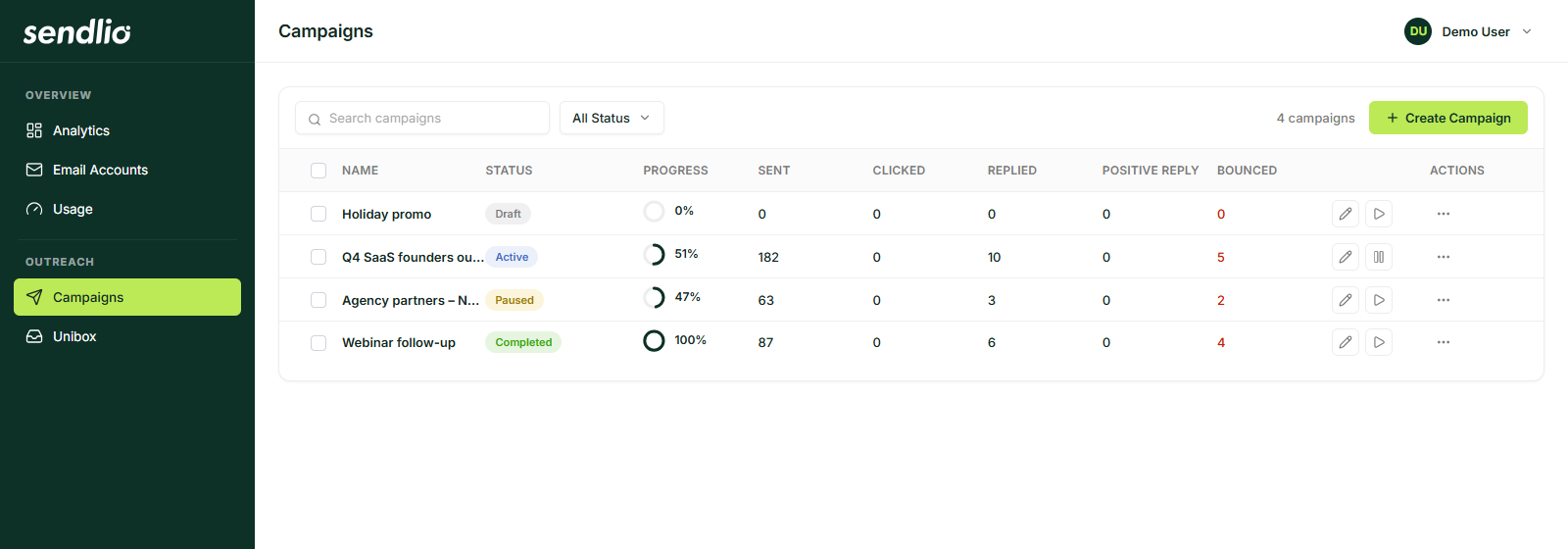
| Column | Meaning |
|---|---|
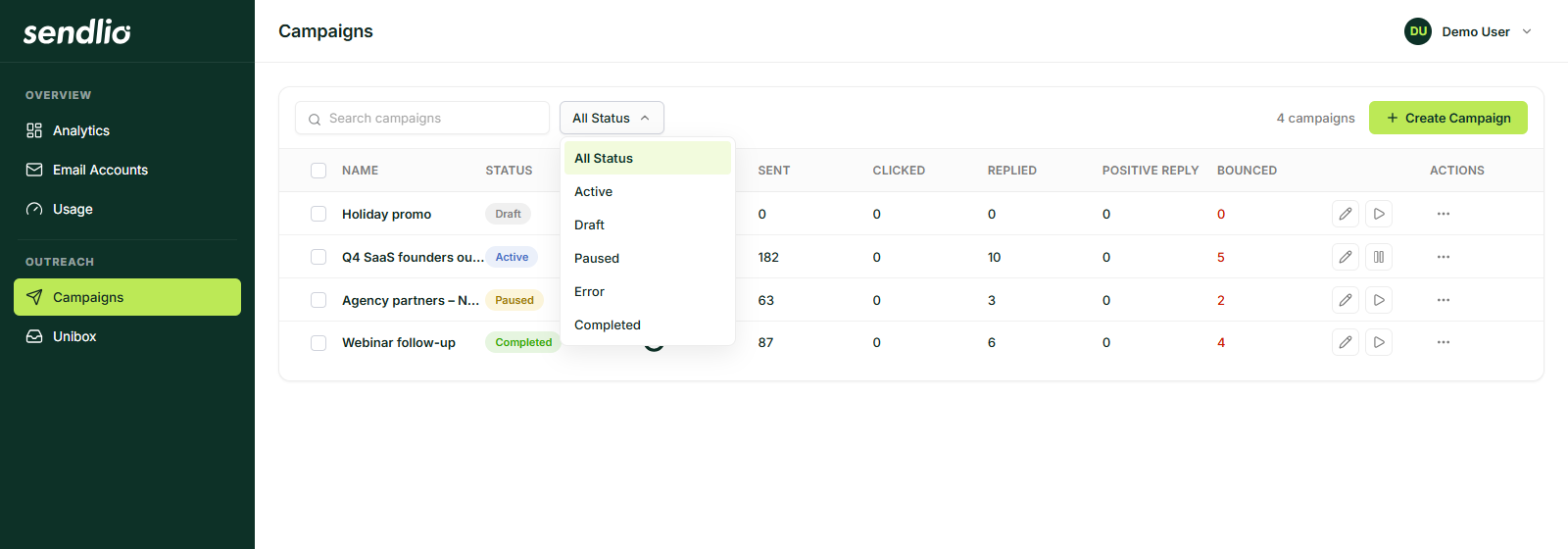
| Status | Draft, Active, Paused or Completed. Filter with the status menu. |
| Progress | How much of the whole sequence has been sent, for all leads. |
| Sent | Emails sent so far. |
| Replied / Bounced | Leads who replied / whose address bounced. |
| Clicked / Positive reply | Not tracked yet — always 0. |
Inside a campaign: the Analytics tab
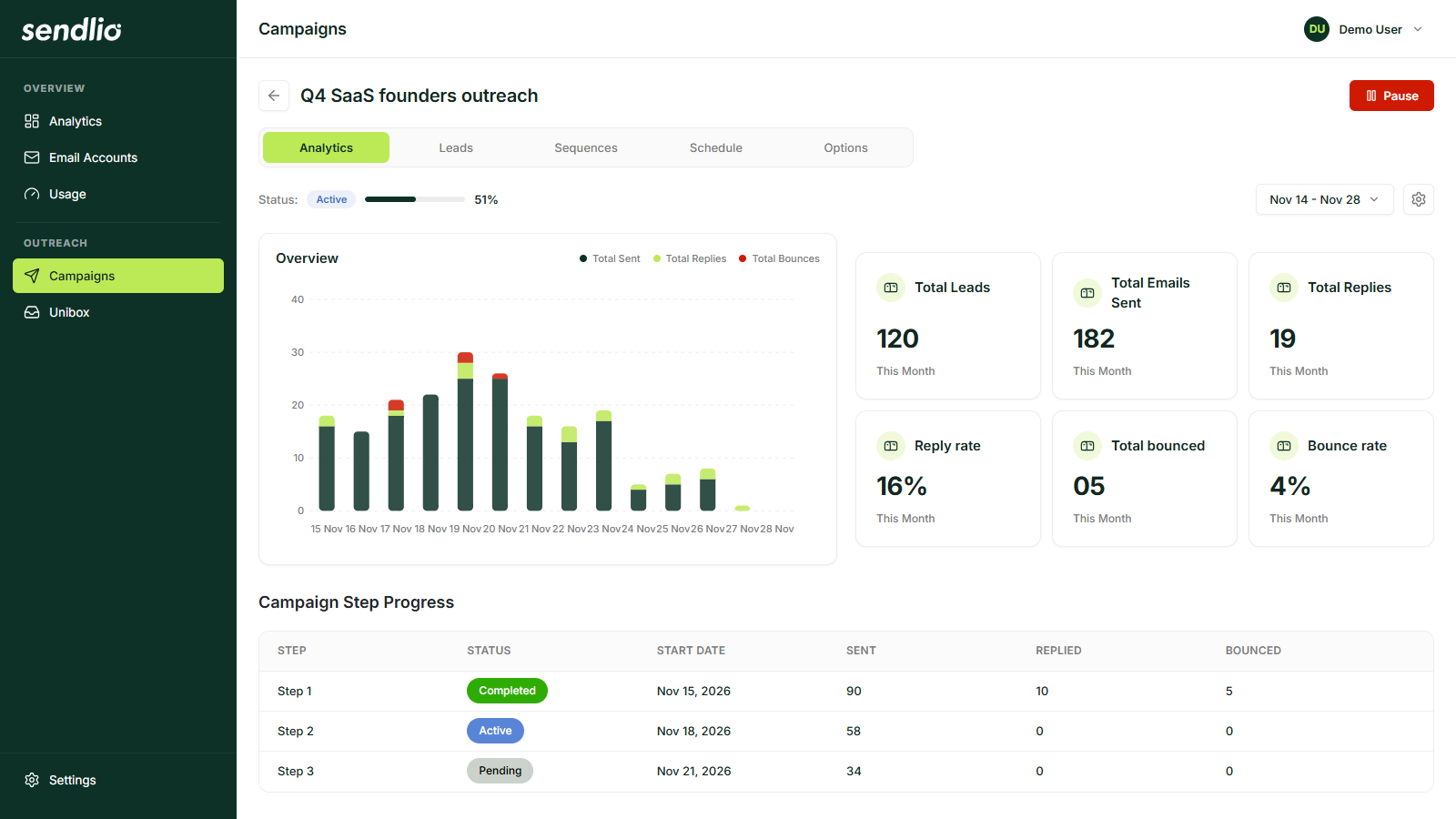
| Card | How it’s counted |
|---|---|
| Total Leads | All leads in the campaign. |
| Total Emails Sent | All emails sent, all steps. |
| Total Replies / Reply rate | Leads who replied — including ones you later marked Interested, Meeting Booked, Not Interested, etc. — divided by Total Leads. |
| Total bounced / Bounce rate | Leads whose address bounced, divided by Total Leads. |
The cards are totals for the whole campaign. The date menu (Today, This Week, This Month, Custom Date) only changes the chart — pick Custom Date to see day-by-day bars.
Campaign Step Progress shows each step’s status, start date and how many leads have received it.
Tip
A healthy campaign has a bounce rate under 3%. Higher than that? Pause, clean your list and check your DNS records.
Frequently asked questions
Where do I read the replies?
In the Unibox, Sendlio’s unified inbox. See What is the Unibox.