
Write your email sequence
Steps, wait days between follow-ups, variants and saved templates.
A sequence is your first email plus follow-ups. Each lead gets step 1, then step 2 a few days later, and so on — until they reply or the steps run out.
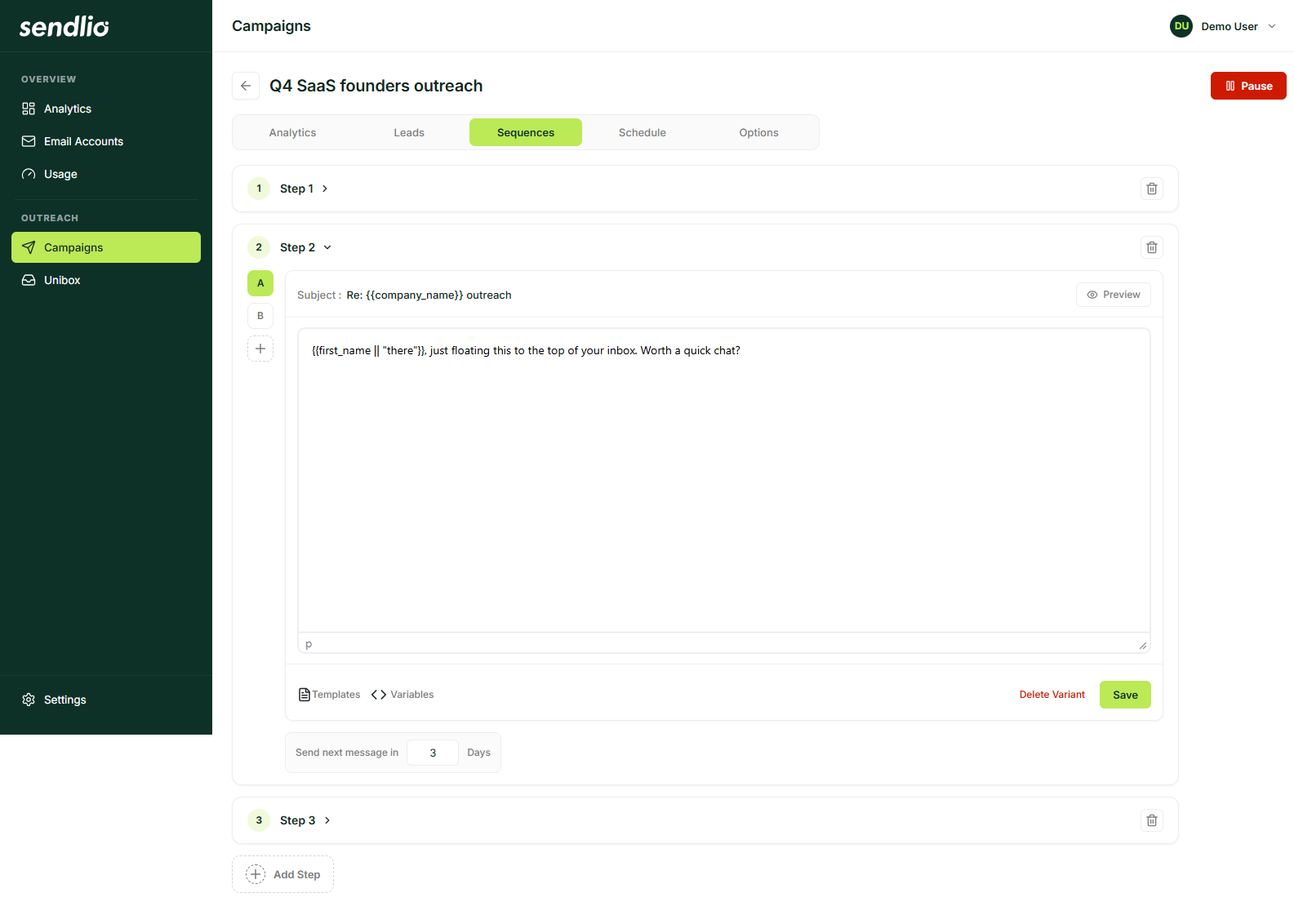
Write a step
- Open the Sequences tab. Step 1 is already there with a sample email.
- Write the Subject (at least 3 characters) and the email body.
- Click Save on the step. Each step saves separately — save before moving on.
Note
Add follow-ups
Click + Add Step. Under each step, set Send next message in [N] Days — how long to wait after this email before the next one (1–100 days). Follow-ups are only sent on days and hours your schedule allows.
Note
Variants (A, B, C)
Click + next to the A badge to write another version of a step. Click a badge to switch between versions.
Important
Saved templates
Click Templates under a step to pick a saved email and Use Template. Review it before saving — some built-in templates sign off with variables you may want to change.
Delete a step or variant
Use the trash icon on the step, or Delete Variant. Avoid deleting steps from a campaign that is already running — leads that are part-way through may skip or repeat a step.
Frequently asked questions
How many steps should I use?
Three to four is a good start: the first email plus 2–3 short follow-ups, 2–4 days apart.
Can I edit emails while a campaign is running?
Yes. Changes apply to the next emails sent. Remember to click Save on the step.