
What is the Unibox and which replies show up there?
One inbox for every reply to your campaigns, from all your connected accounts.
The Unibox collects replies to your campaigns from all your connected inboxes in one place, so you don’t have to log in to each mailbox. Open it from Unibox in the left menu.
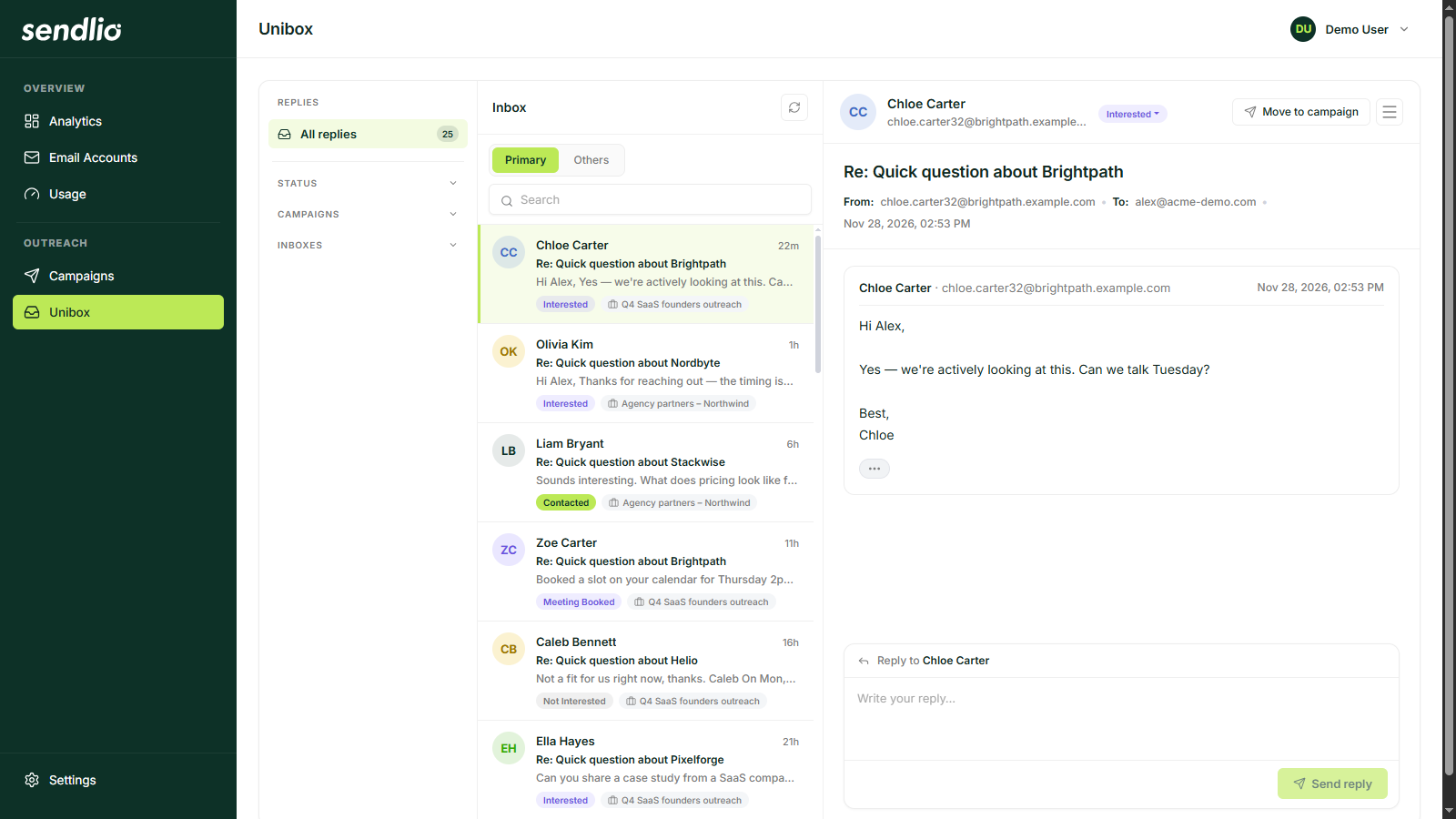
The three panels
| Panel | What it shows |
|---|---|
| Left | All replies, plus filters by Status, Campaigns and Inboxes. |
| Middle | The replies, newest first: lead name, time, subject, a preview, the status and the campaign. Tabs Primary and Others, and a Search box. |
| Right | The reply you clicked, with a box to answer it. |
Which emails appear
- Replies from leads in your campaigns, received in the Inbox folder of your connected accounts.
- New replies arrive within about 5 minutes.
- Warmup emails, bounce messages and automatic replies (out-of-office) are left out.
- Other mail in your mailbox — newsletters, colleagues, people who aren’t leads — is not shown.
Note
Every reply is still in your real mailbox too. The Unibox reads them; it doesn’t move or delete anything there.
Replies stop the sequence
When a lead replies, Sendlio stops sending them follow-ups automatically. Out-of-office replies don’t stop it. See How replies, bounces and lead statuses work.
Frequently asked questions
Is there an unread marker?
Not yet. Use statuses to keep track of which replies you’ve handled — see “Tag replies with a status”.