
Campaign options: sending inboxes, daily limit and priority
Choose which inboxes send, how many emails per day, and what happens on reply.
On this page
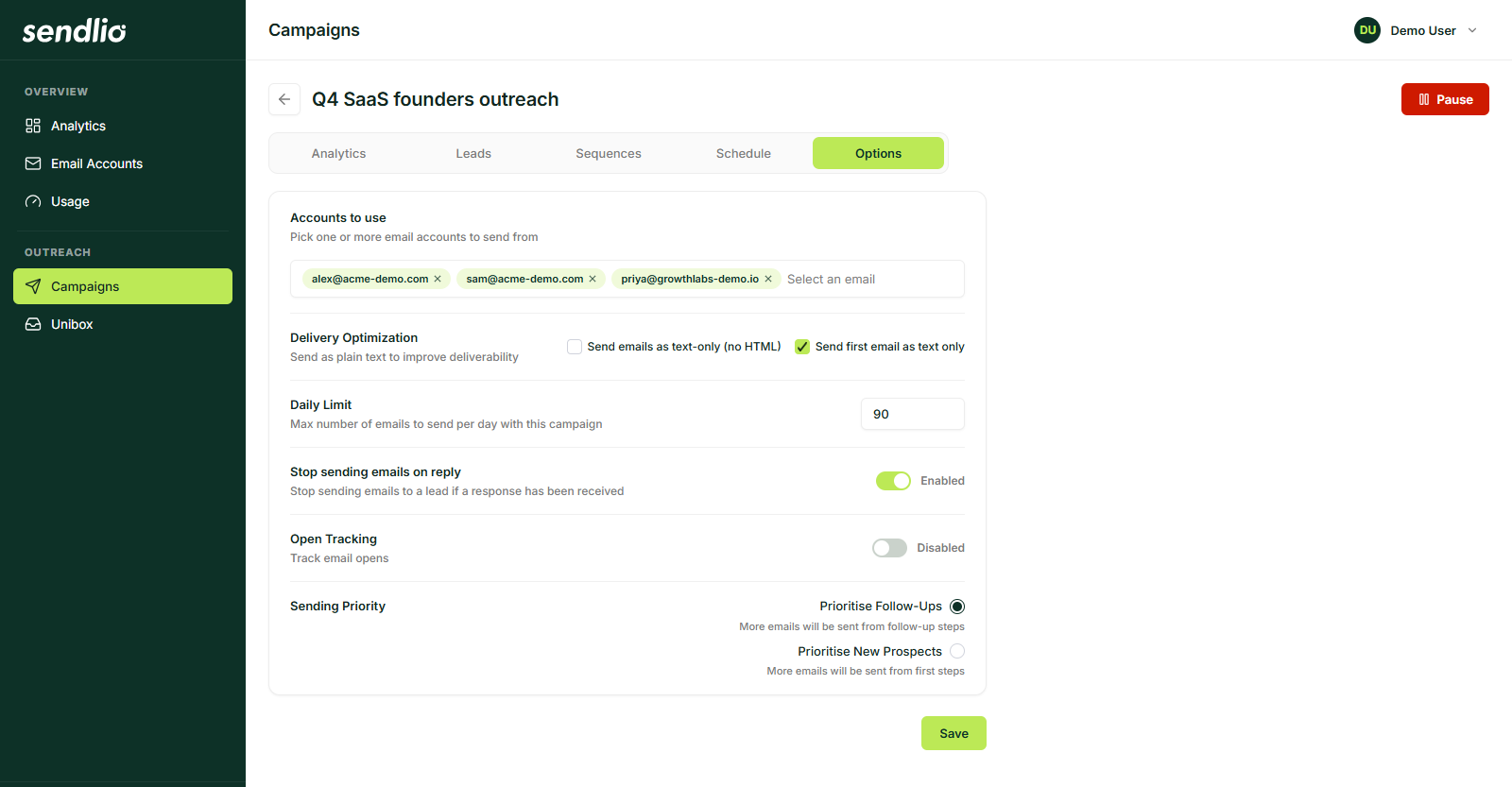
Accounts to use
Pick one or more inboxes. Sendlio takes turns between them, skipping any that reached their own Daily Campaign limit or are still waiting their Minimum wait time.
Note
Daily Limit
The most emails this campaign sends per day. It can’t be more than the total of the selected inboxes’ daily limits (“Daily limit cannot exceed more than N, add more email accounts!”). New campaigns start at 200.
Important
Sending Priority
- Prioritise Follow-Ups — leads already in the sequence get their next email first.
- Prioritise New Prospects — new leads get their first email first.
Click Save to apply your choice — until you do, new prospects go first.
Stop sending emails on reply
You don’t need to turn this on: when a lead replies, Sendlio always stops their sequence. Automatic replies (out-of-office) don’t stop it.
Open Tracking and Delivery Optimization
Important
Click Save. You’ll see “Options saved successfully!” and return to the Campaigns list.
Frequently asked questions
How do I send more per day?
Add more warmed-up inboxes to the campaign rather than raising each inbox’s limit.