
Personalize emails with variables, fallbacks and spintax
Insert each lead’s details, set backup text when a field is empty, and vary wording.
On this page
Insert a variable
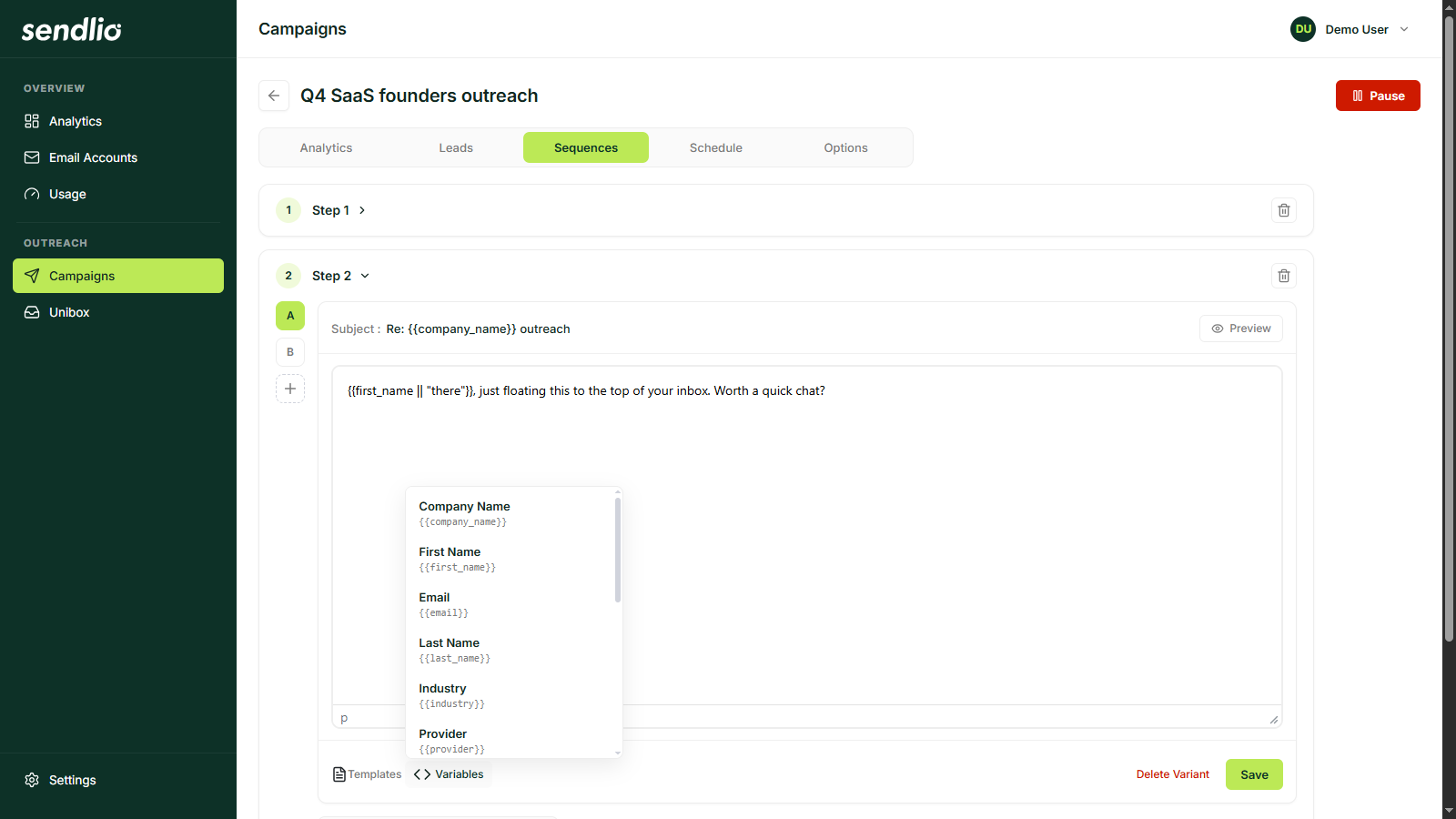
Click Variables under a step, or type {{ in the email, and pick a field. Each lead’s own value replaces it when the email is sent.
| Variable | Becomes |
|---|---|
{{first_name}}, {{last_name}}, {{email}} | The lead’s details from your CSV. |
{{company_name}}, {{role}}, {{city}}… | Columns you matched when importing. |
Any custom column, e.g. {{industry}} | Columns you didn’t match keep their name. |
{{first_name_me}}, {{sender_name}} | Your name, from the sending inbox’s General tab. |
{{account_signature}} | Your signature, placed exactly here. |
Tip
{{company_name}} for the company you imported. {{company}} is different: if empty, it shows the lead’s email provider (e.g. “Google”).Fallbacks: backup text for empty fields
If a lead has no first name, Hi {{first_name}}, becomes “Hi ,”. Add a fallback with ||:
| You write | Lead has the field | Lead’s field is empty |
|---|---|---|
Hi {{first_name || "there"}}, | Hi Jane, | Hi there, |
{{company_name || "your team"}} | Acme | your team |
{{first_name || company_name}} | Jane | Acme (another field) |
Put fallback text in quotes. Without quotes, Sendlio treats it as another field name.
Spintax: vary your wording
Put two or more quoted options in one variable, and Sendlio picks one at random for each email: {{"Hi" || "Hello" || "Hey"}} {{first_name || "there"}},. Small variations help your emails look less like a mass mailing.
Your signature
The sending inbox’s signature is added to the end of every email automatically. To place it elsewhere, type {{account_signature}} exactly like that (no spaces inside the braces) — otherwise you’ll get it twice.
Frequently asked questions
What happens with a misspelled variable?
It becomes empty in the sent email. Always check the Preview with a real lead before starting.
What if the whole subject comes out empty?
That email is skipped. Make sure every subject has some plain text, not only variables.