
Create and launch your first campaign
The whole journey in one page: name, leads, emails, schedule, options and Start.
A campaign sends a sequence of emails to a list of leads, from inboxes you choose, at the times you choose. Setting one up takes about 15 minutes.
Tip
1. Name your campaign
- Go to Campaigns and click + Create Campaign.
- Enter a Campaign name (you can rename it later) and click Continue.
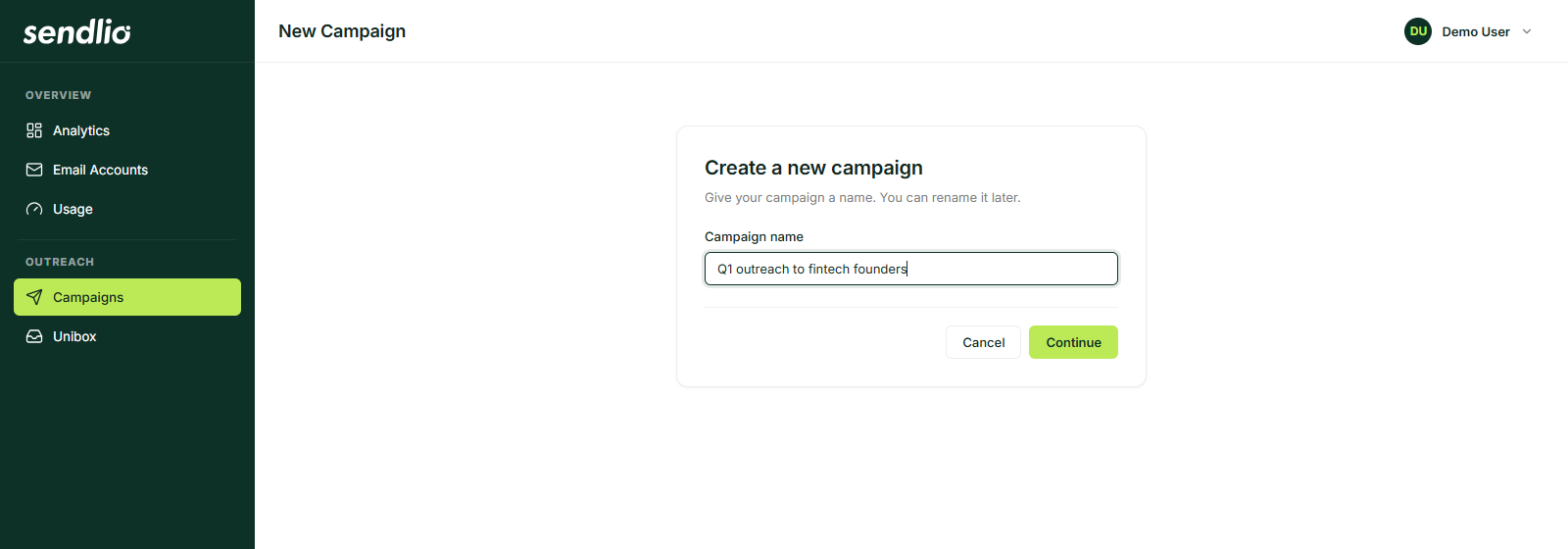
Your campaign opens with five tabs: Analytics, Leads, Sequences, Schedule and Options. Fill them in any order — the campaign stays a Draft until you start it.
2. Fill in the tabs
| Tab | What you do | Guide |
|---|---|---|
| Leads | Upload a CSV or paste email addresses. | Import leads |
| Sequences | Write your first email and follow-ups. | Write your sequence |
| Schedule | Pick days, hours, timezone and dates. | Set the schedule |
| Options | Choose sending inboxes and the daily limit. | Campaign options |
3. Start the campaign
Click Start at the top of the campaign, or the play button on the Campaigns list. If anything is missing, Sendlio tells you what (for example “Please add campaign schedule.”) with a link to the right tab. See Start, pause and restart.
Important
Frequently asked questions
How many campaigns can I have?
The Free Trial allows 1 campaign. Paid plans have no campaign limit — your plan’s email and lead limits apply instead.