
Campaign settings for an email account
Daily Campaign limit, Minimum wait time and other per-inbox sending settings.
On this page
These settings control how many campaign emails each inbox sends and how fast.
- Go to Email Accounts and click the email address.
- Open the Campaign tab.
- Change the values and click Save changes. You’ll see Campaign Settings Saved!
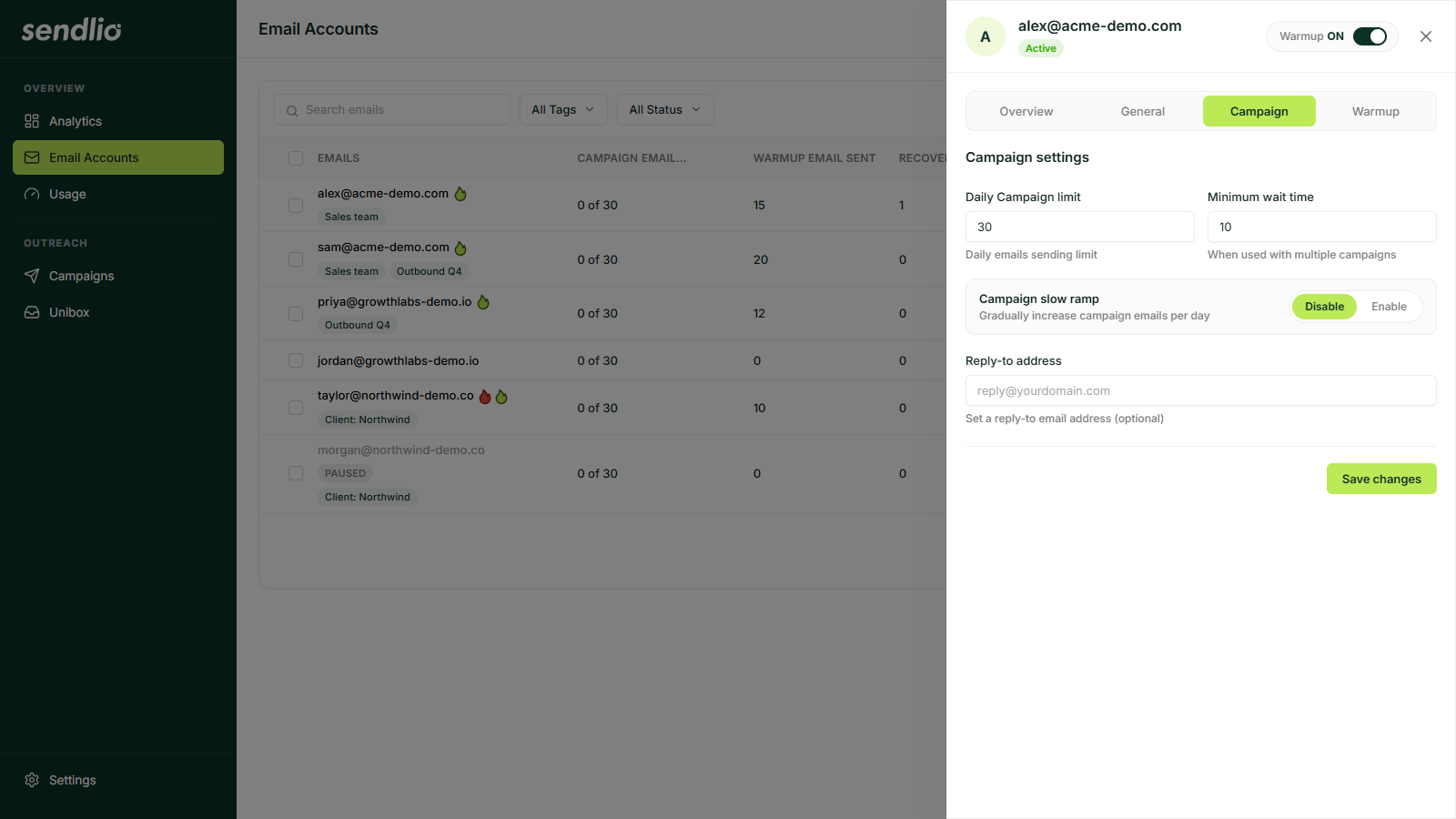
Daily Campaign limit
The most campaign emails this inbox sends per day, across all your campaigns.
Important
New accounts start without a limit set. Until you set one, the inbox sends almost nothing (at most one campaign email a day). Set it before you launch a campaign.
Minimum wait time
The minimum number of minutes between two campaign emails from this inbox. Sendlio adds a random extra 0–4 minutes so sending looks natural.
Campaign slow ramp and Reply-to address
Important
These two settings are saved, but they don’t affect sending yet. To ramp up, raise the Daily Campaign limit yourself each week. Replies go to the sending address.
Recommended values
| Inbox | Daily Campaign limit | Minimum wait time |
|---|---|---|
| Warmed up 2–3 weeks | 10–20 | 10–15 minutes |
| Warmed up 4+ weeks, healthy score | 30–50 | 7–10 minutes |
| Free Gmail / Outlook.com | Max 20 | 15+ minutes |
To set these for many inboxes at once, select them and use Bulk Edit → Campaign.
Frequently asked questions
Does the campaign’s own daily limit matter too?
Yes. A campaign sends the smaller of its own daily limit and what its inboxes can send.