
Before you start: get your inbox ready for warmup
A 3-point checklist: connected inbox, DNS records, and a warmup tag.
On this page
Warmup only works on a healthy, connected inbox. Check these three things first — it takes about 5 minutes and saves days of poor results.
1. Your inbox is connected
Go to Email Accounts. Your inbox must be in the list. If it isn’t, click + Add Accounts and connect it — see How to connect an email account.
Sendlio needs both SMTP (to send) and IMAP (to read replies and rescue emails from spam). If either one fails, warmup can’t run.
2. Your domain’s DNS records are set up
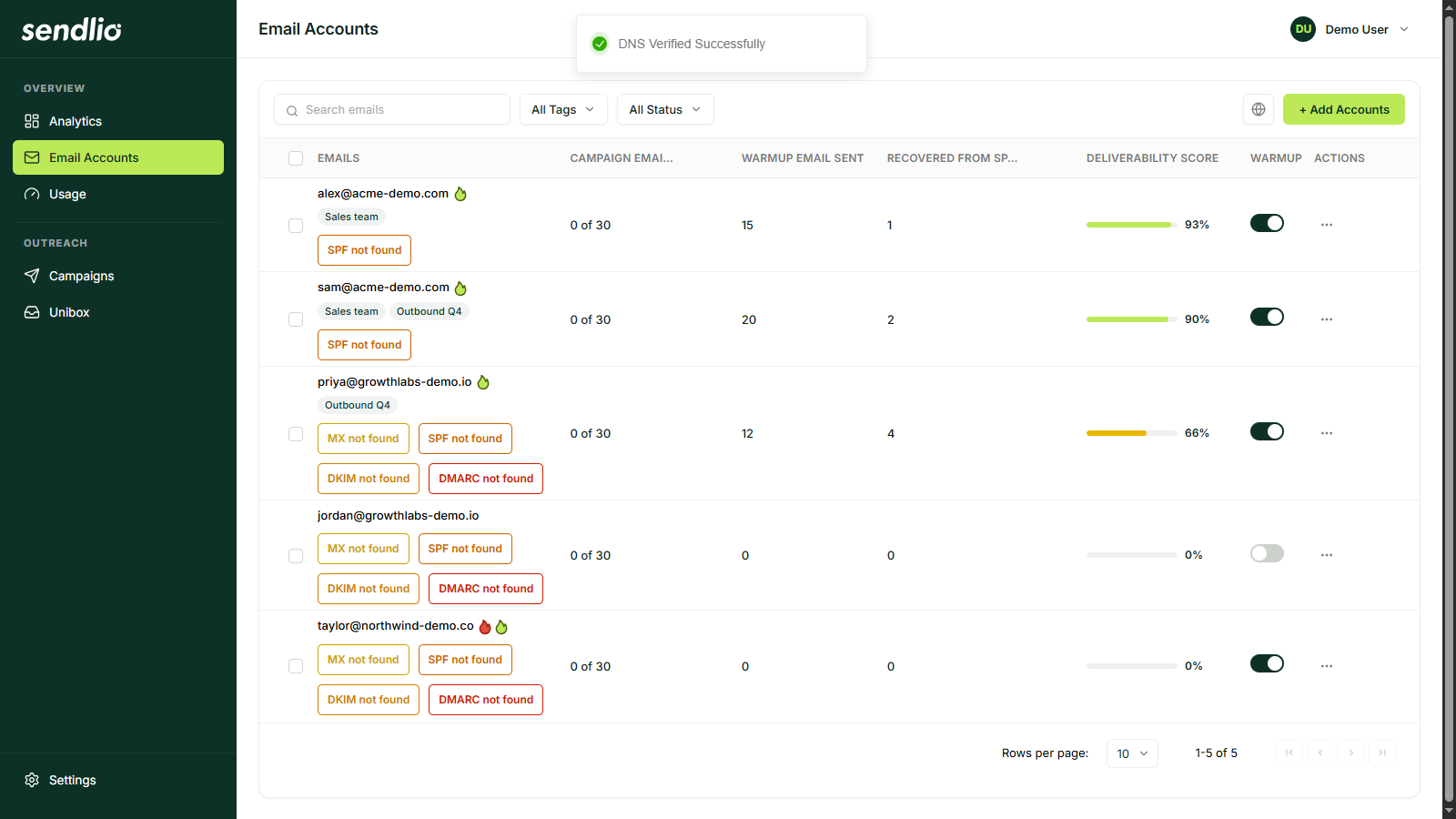
Providers check four DNS records to decide whether to trust your emails. Click Verify DNS (the globe icon at the top of the Email Accounts page). Any missing record shows as a red badge under the email address, for example SPF not found.
| Record | What it does |
|---|---|
| MX | Tells the world which server receives mail for your domain. |
| SPF | Lists the servers allowed to send email for your domain. |
| DKIM | Adds a digital signature that proves the email wasn’t changed. |
| DMARC | Tells providers what to do with emails that fail SPF or DKIM. |
Tip
Full guide: Check your domain’s SPF, DKIM, DMARC and MX records.
Note
3. The inbox has a warmup filter tag
Sendlio won’t start warmup without a warmup filter tag. Inboxes you add one by one get a tag automatically. Inboxes imported from a CSV file don’t — set one in the Warmup tab (see “Warmup settings explained”) or for many inboxes at once with Bulk Edit.
Frequently asked questions
Can I warm up an inbox while DNS is still being fixed?
You can, but results will be poor and the time is mostly wasted. Fix SPF, DKIM and DMARC first.