
How to turn on email warmup
Switch warmup on for an inbox in one click, and know when it starts working.
On this page
Turning on warmup takes one click. Make sure you have done the checklist in “Before you start” first.
Turn on warmup
- Go to Email Accounts in the left menu.
- Find the inbox in the list. Use Search emails if you have many.
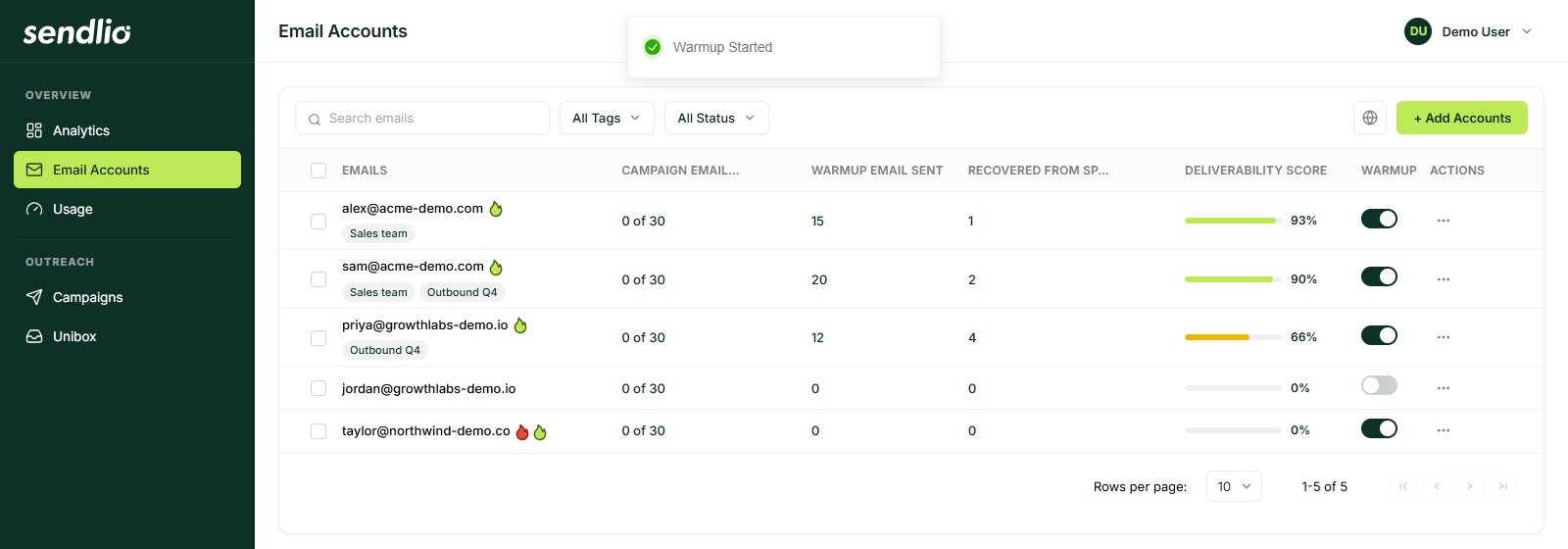
- Click the switch in the Warmup column so it turns on.
- You’ll see Enabling Warmup… and then Warmup Started. A flame icon (“Warmup is active”) appears next to the email address.
When does warmup start sending?
Sendlio checks for newly enabled inboxes about once an hour. Warmup emails are sent during the daily warmup window, 8 AM to 6 PM India Standard Time (IST). If you turn warmup on outside that window, your first warmup emails go out the next morning.
Numbers usually appear on the Email Accounts page within the first day.
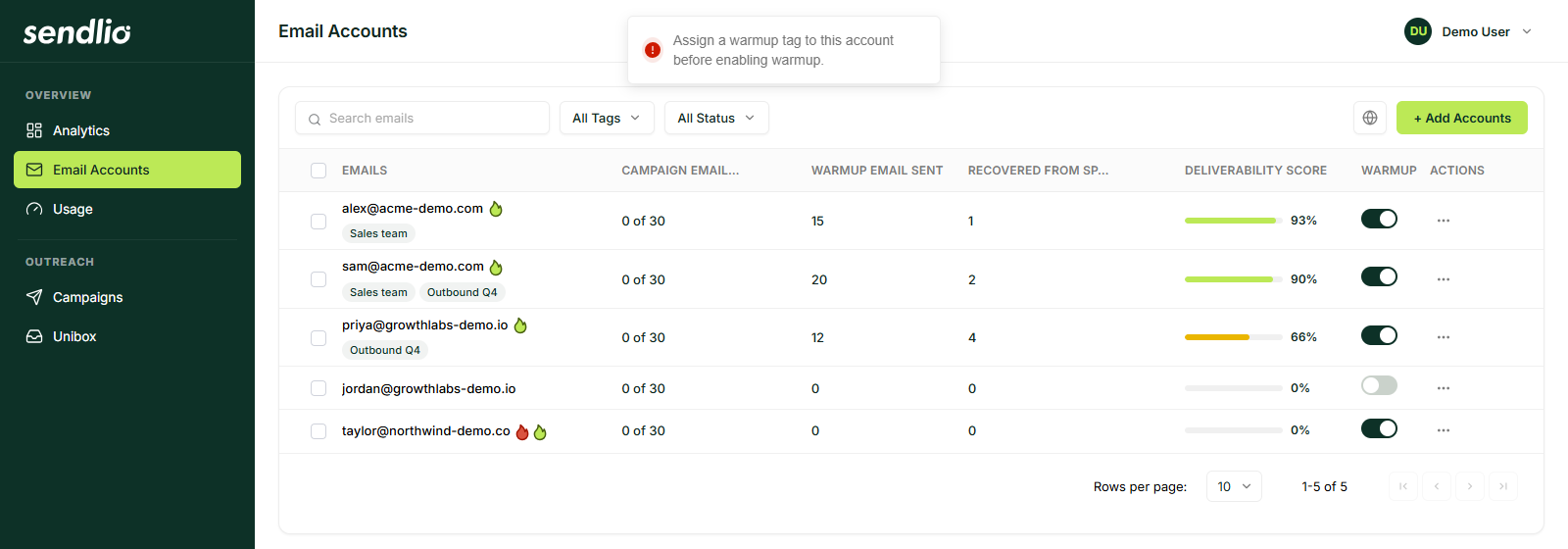
If you see “Assign a warmup tag to this account before enabling warmup”
This inbox has no warmup filter tag yet (common for inboxes imported from CSV). Click the email address, open the Warmup tab, click the refresh icon next to Warmup filter tag to create one, click Save changes, then try the switch again.
Important
Frequently asked questions
Can I turn on warmup for many inboxes at once?
Turn the switch on for each inbox. To change settings for many inboxes at once, use Bulk Edit (see “Change warmup settings for many inboxes”).
There is a Warmup ON/OFF switch inside the account window too. Why can’t I click it?
That one only shows the current status. Use the switch in the Warmup column of the list to turn warmup on or off.