
Track your warmup progress
Read the warmup numbers, deliverability score, activity chart and Warmup Success Rate.
On this page
On the Email Accounts list
| Column | What it means |
|---|---|
| Warmup email sent | Warmup emails this inbox sent today, including replies. |
| Recovered from spam | Today’s warmup emails that landed in a spam folder and were moved back to the inbox. |
| Deliverability score | The share of today’s warmup emails that did not need rescuing from spam. |
| Warmup | The on/off switch. |
| Deliverability score | Colour | What to do |
|---|---|---|
| Above 80% | Green | Healthy. Keep going. |
| 49–80% | Amber | Keep warming up. Check your DNS records. Don’t raise the daily limit yet. |
| Below 49% | Red | Lower the daily limit, fix DNS, and don’t send campaigns from this inbox yet. |
Note
Inside an account: the Overview tab
Click an email address to open it. The Overview tab shows Warmup email sent, Recovered from spam and Warmup email received, and a Warmup activity chart. It starts on Today; use the date menu to switch between Today, This Week, This Month or your own Start/End dates.
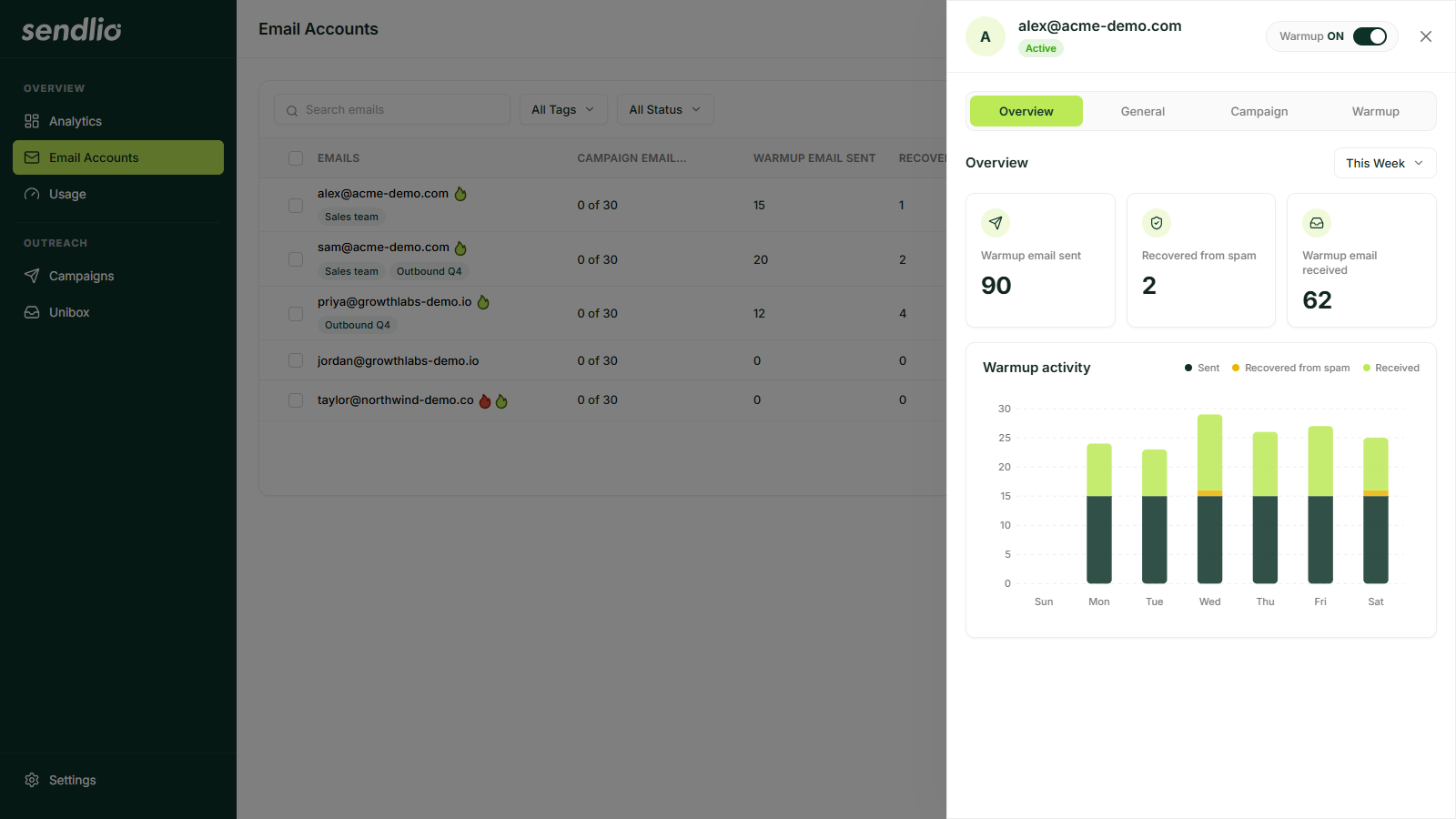
A good trend: “Sent” and “Received” stay steady, and “Recovered from spam” goes down over the weeks.
Find inboxes by warmup status
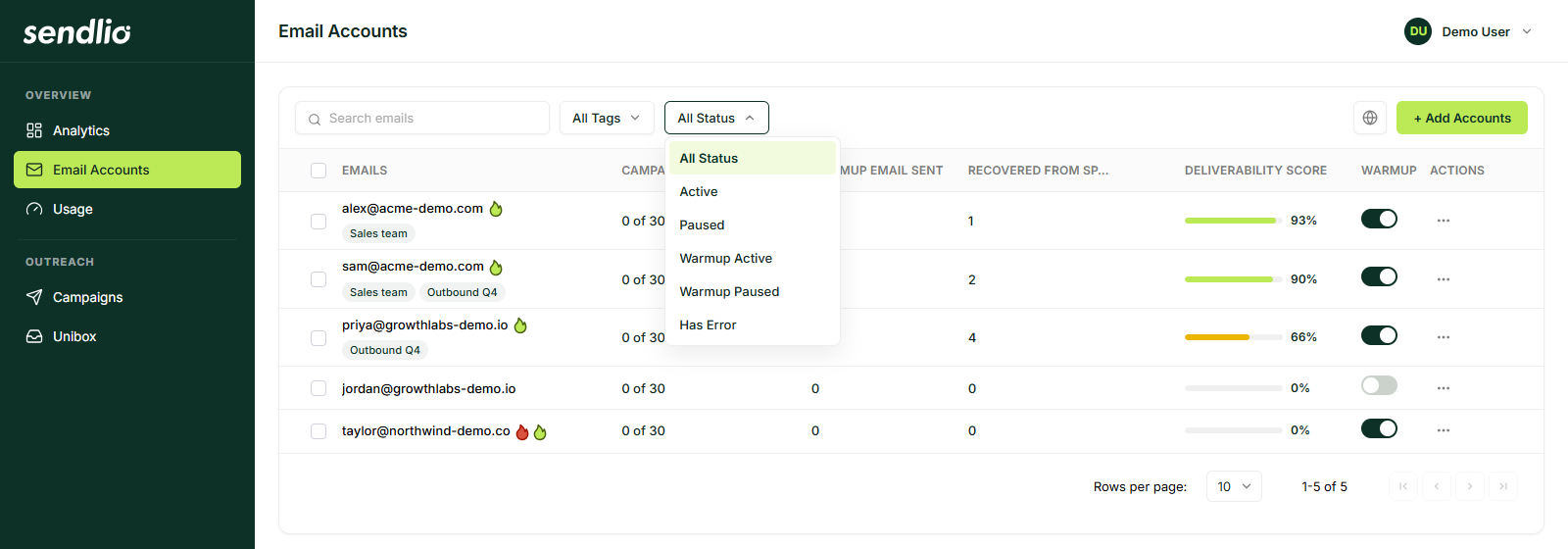
Use the All Status menu at the top of the list. Choose Warmup Active or Warmup Paused. Has Error shows inboxes with DNS problems found by Verify DNS — inboxes with warmup errors are the ones with a red flame icon.
Warmup Success Rate on the Analytics page
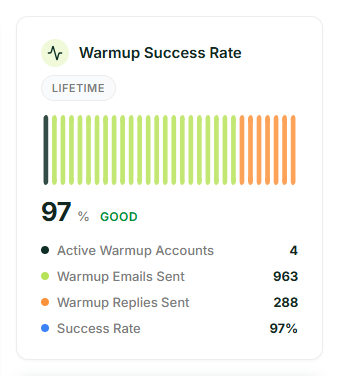
The Analytics page has a Warmup Success Rate card for all your warmup inboxes combined: the share of warmup emails that reached the inbox without being rescued from spam, labelled Good (80%+), Healthy (60%+) or Building. See Read the Warmup Success Rate card.
Frequently asked questions
Why is “Recovered from spam” high in the first week?
That’s normal for a new inbox — it’s exactly what warmup fixes. It should go down over 2–3 weeks.