
Change warmup settings for many inboxes at once
Use Bulk Edit to apply the same warmup settings to several inboxes.
If you manage many inboxes, Bulk Edit saves you from opening each one.
Steps
- Go to Email Accounts.
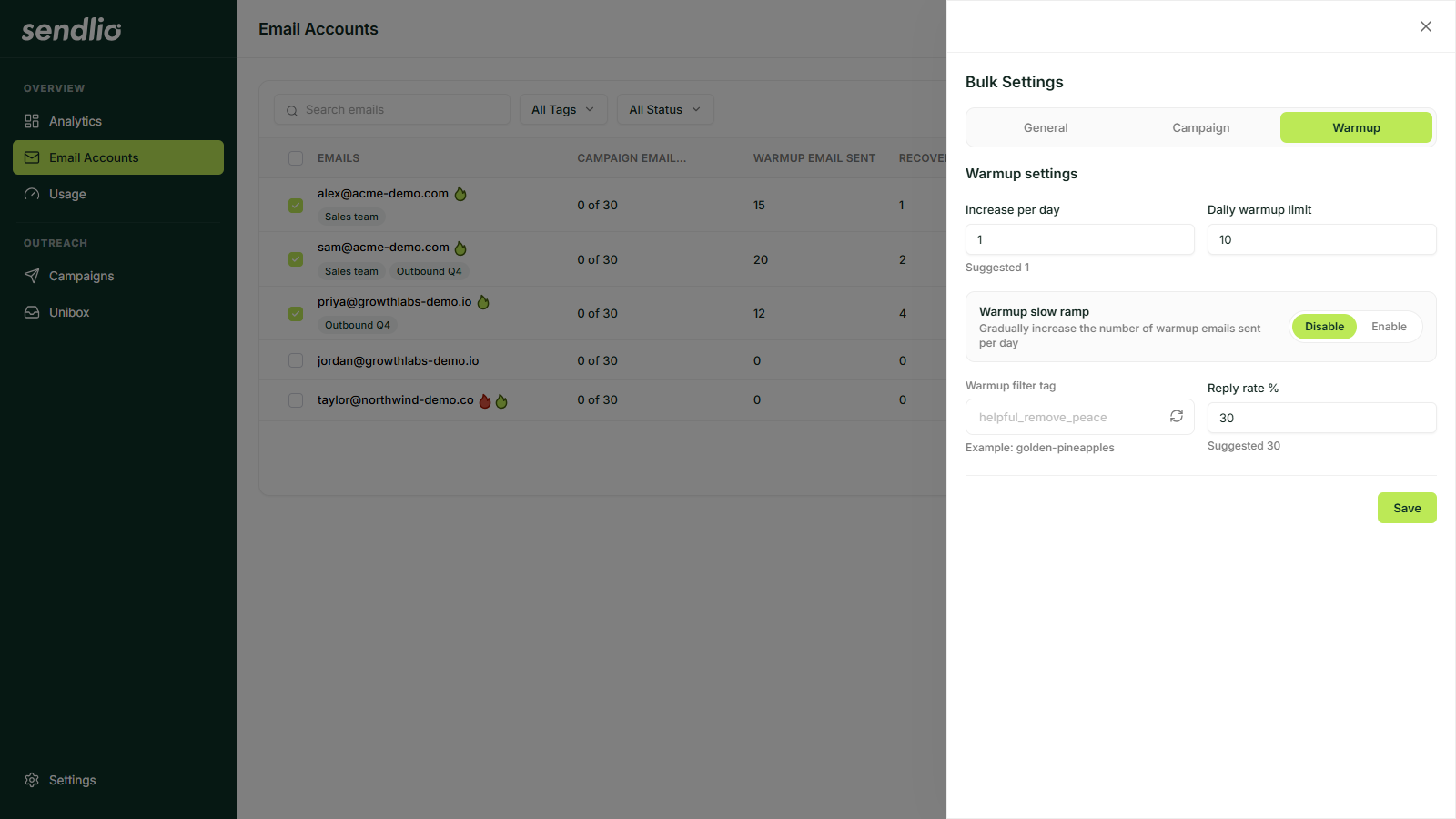
- Tick the checkbox at the start of each row you want to change. Tick the box in the header to select every row on the page.
- The bulk action icons appear at the top of the list. Click Bulk Edit (the pencil icon, also in the ⋯ menu).
- In the Bulk Settings window, open the Warmup tab.
- Set Increase per day, Daily warmup limit, Warmup slow ramp and Reply rate %. The Warmup filter tag starts empty — type one or click the refresh icon to create one.
- Click Save.
Important
Bulk Edit replaces all warmup settings on the selected inboxes with what you enter here — including the filter tag. Every selected inbox gets the same tag.
Tip
Bulk Edit is the fastest way to give a warmup tag to inboxes you imported from CSV, so you can turn warmup on for them.
If any selected inbox already has warmup on, you must enter a tag. Otherwise you’ll see: “A warmup tag is required for warmup-enabled accounts. Set a tag before bulk-updating.”
Frequently asked questions
Can I give each inbox a different tag with Bulk Edit?
No. To use different tags, set them one by one in each inbox’s Warmup tab.