
Warmup settings explained
What each setting in the Warmup tab does, and the values we recommend.
Every inbox has its own warmup settings. New inboxes start with good defaults, so you only need to change these if you want to warm up faster or slower.
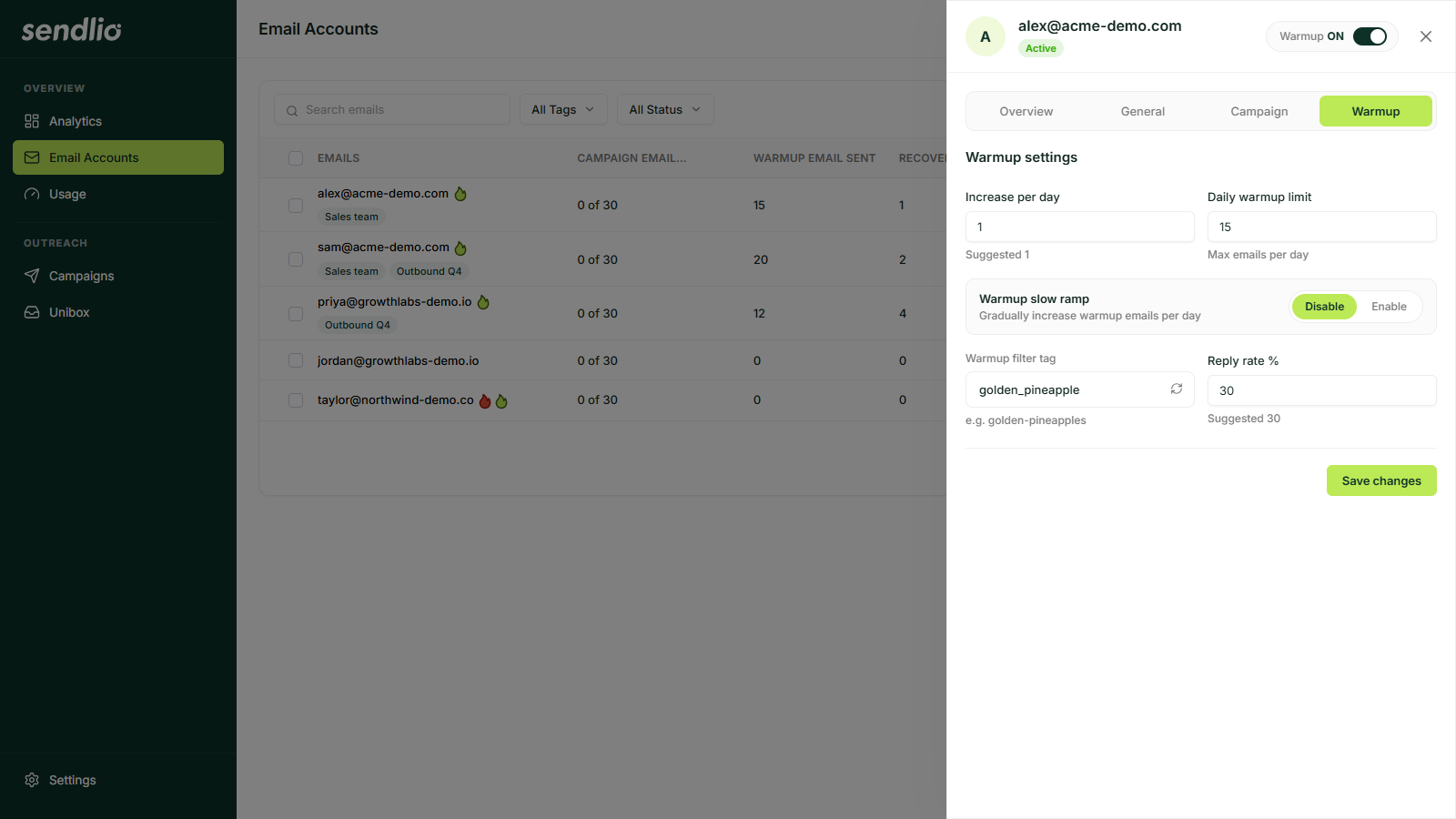
Open the warmup settings
- Go to Email Accounts.
- Click the email address of the inbox.
- Click the Warmup tab.
- Change the settings and click Save changes. You’ll see Warmup Settings Saved!
What each setting does
Daily warmup limit
The total number of warmup emails this inbox handles per day — new emails plus replies. Default: 10.
Reply rate %
How much of the daily limit is used for replies to other inboxes. Default and suggested: 30.
Note
Warmup filter tag
A unique word pair, like golden_pineapple, added to the subject of every warmup email. It lets you filter warmup emails out of your mail app, and lets Sendlio keep them out of your Unified Inbox. Click the refresh icon to create a new one. Required while warmup is on.
Warmup slow ramp and Increase per day
Important
Recommended values
| Inbox age | Daily warmup limit | Reply rate % |
|---|---|---|
| Week 1 | 10 | 30 |
| Week 2 | 15–20 | 30 |
| Week 3 and later | 25–40 | 30–40 |
| Inbox sending campaigns | Keep at 20–40 | 30 |
Tip
Frequently asked questions
I cleared the filter tag and now I can’t save.
You can’t remove the tag while warmup is on (“A warmup tag is required while warmup is enabled for this account.”). Enter or generate a new tag, or turn warmup off first.
My settings fields are empty.
This usually happens with inboxes imported from CSV. Fill in the values from the table above, generate a tag and click Save changes.