
Pause, reconnect or remove an email account
Stop an inbox, update its password or settings, or delete it.
On this page
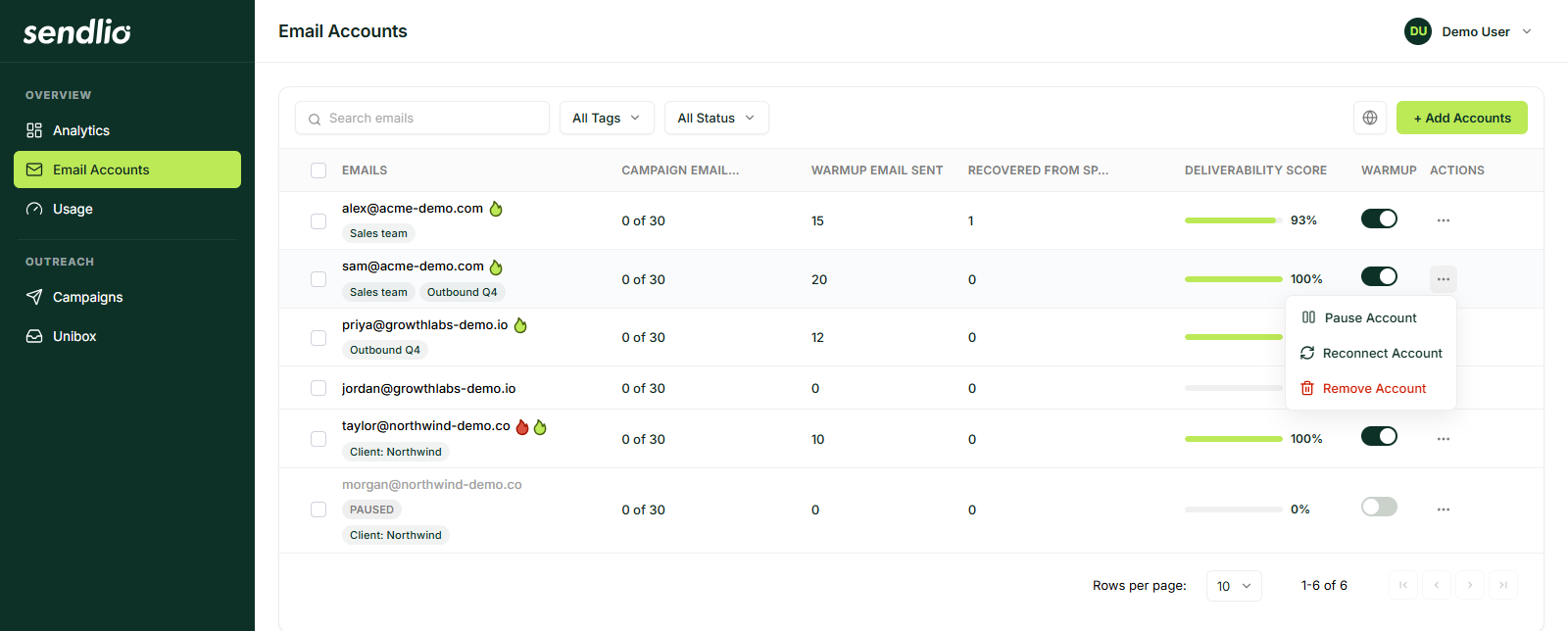
Open the Actions menu (⋯) at the end of the account’s row.
Pause or activate
Click Pause Account. The inbox stops sending both campaigns and warmup, and shows a “Paused” label. Click Activate Account to start again.
Note
Campaigns that use a paused inbox keep running with their other inboxes. If all of a campaign’s inboxes are paused, the campaign waits until one is activated again.
For many inboxes, tick them and click Pause All or Resume All at the top.
Reconnect
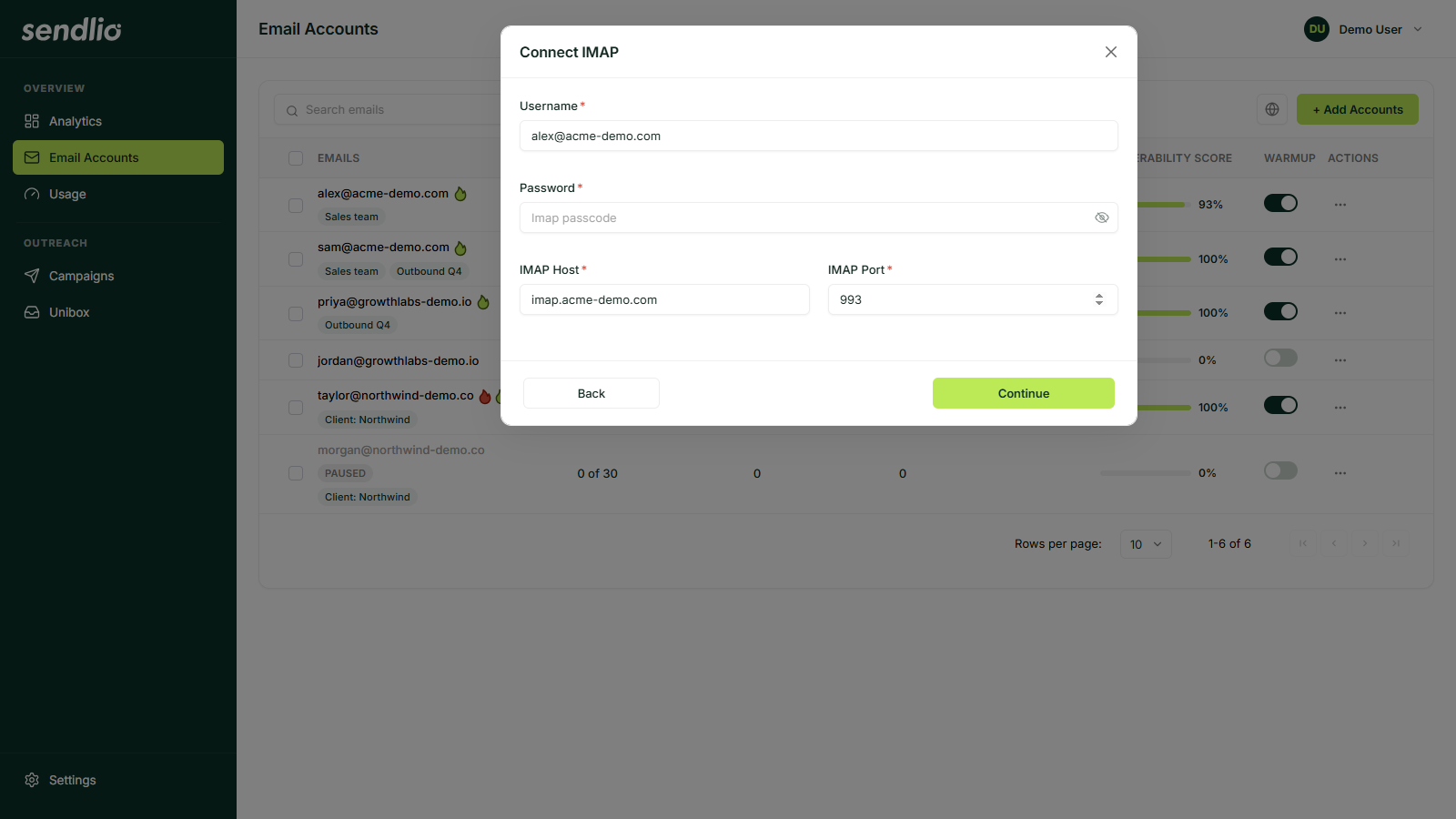
Use Reconnect Account when you changed the password, the connection broke, or you need new IMAP/SMTP details.
- Click Reconnect Account.
- Check your name and email, then continue to Connect IMAP and Connect SMTP. Hosts and ports are filled in, but you need to type the password again. Each step tests the connection.
- Click Connect to save.
Tip
If warmup showed errors, turn the Warmup switch off and on again after reconnecting to restart it.
Remove
Click Remove Account and confirm. The account is disconnected and removed permanently — this can’t be undone.
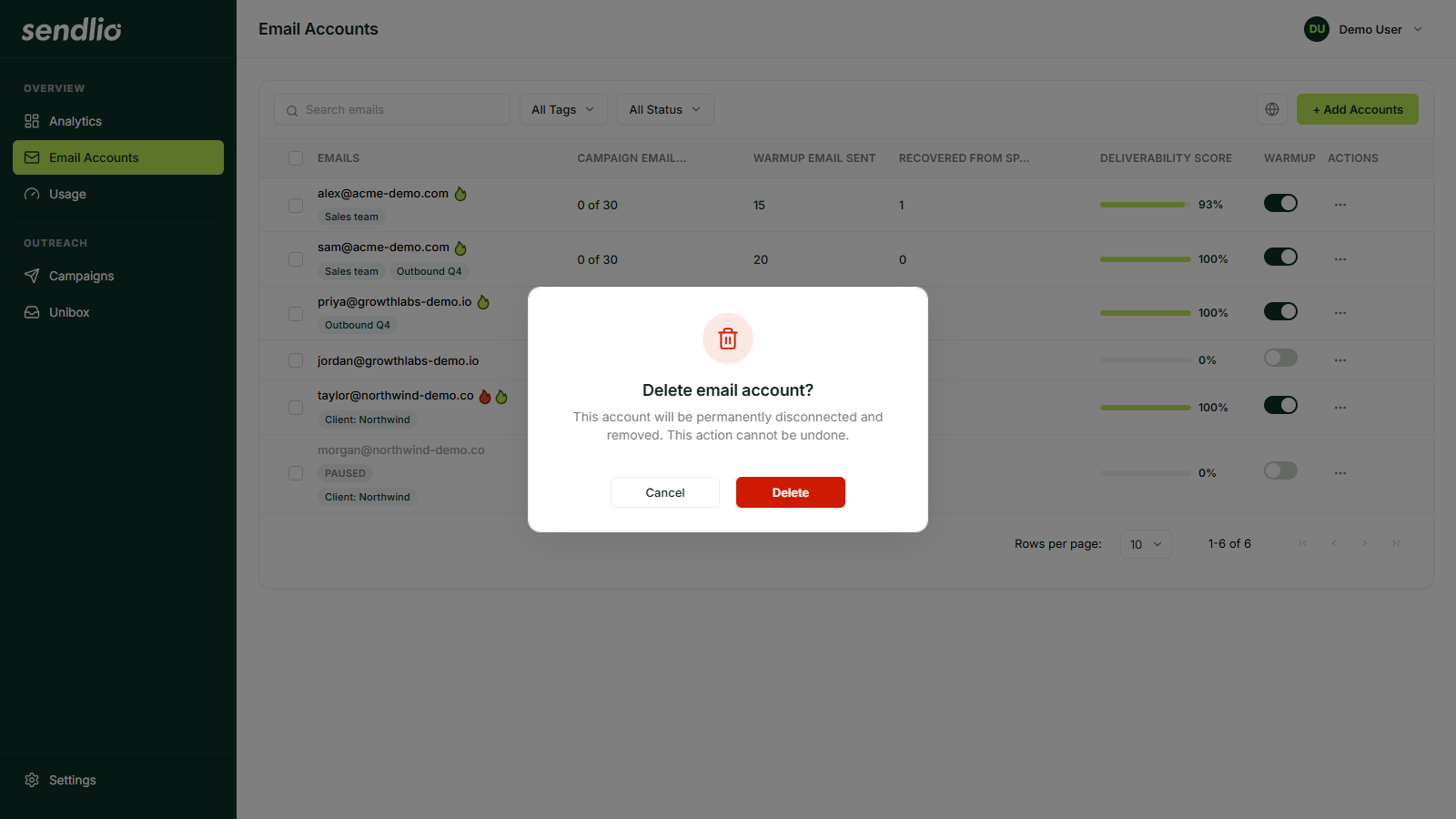
To remove many, tick them and use the ⋯ menu at the top → Delete.
Frequently asked questions
Should I pause or remove an inbox I’m not using?
Pause it if you may use it again. Keep warmup on (and the account active) if you want to keep its reputation.