
Download your email accounts as a CSV file
Export selected accounts and their connection details.
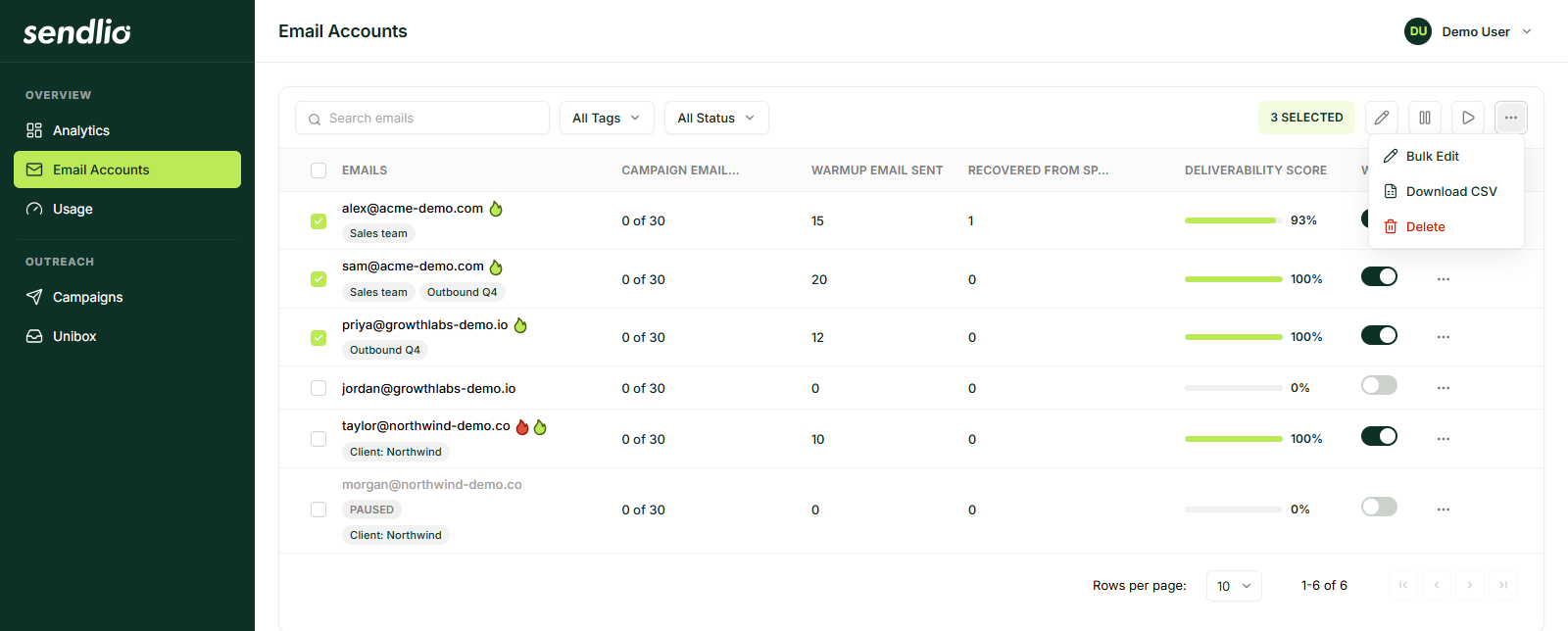
- Go to Email Accounts and tick the accounts you want.
- Click the ⋯ menu at the top right of the list → Download CSV.
- The file
Email_accounts.csvis saved to your computer.
Important
The file includes your IMAP and SMTP passwords in plain text. Store it safely, don’t email it, and delete it when you’re done.