
Tag replies with a status
Mark replies as Interested, Meeting Booked, Not Interested and more, to keep track.
- Open a reply.
- Click the status badge at the top of the conversation.
- Pick a status. You’ll see “Status updated to …”.
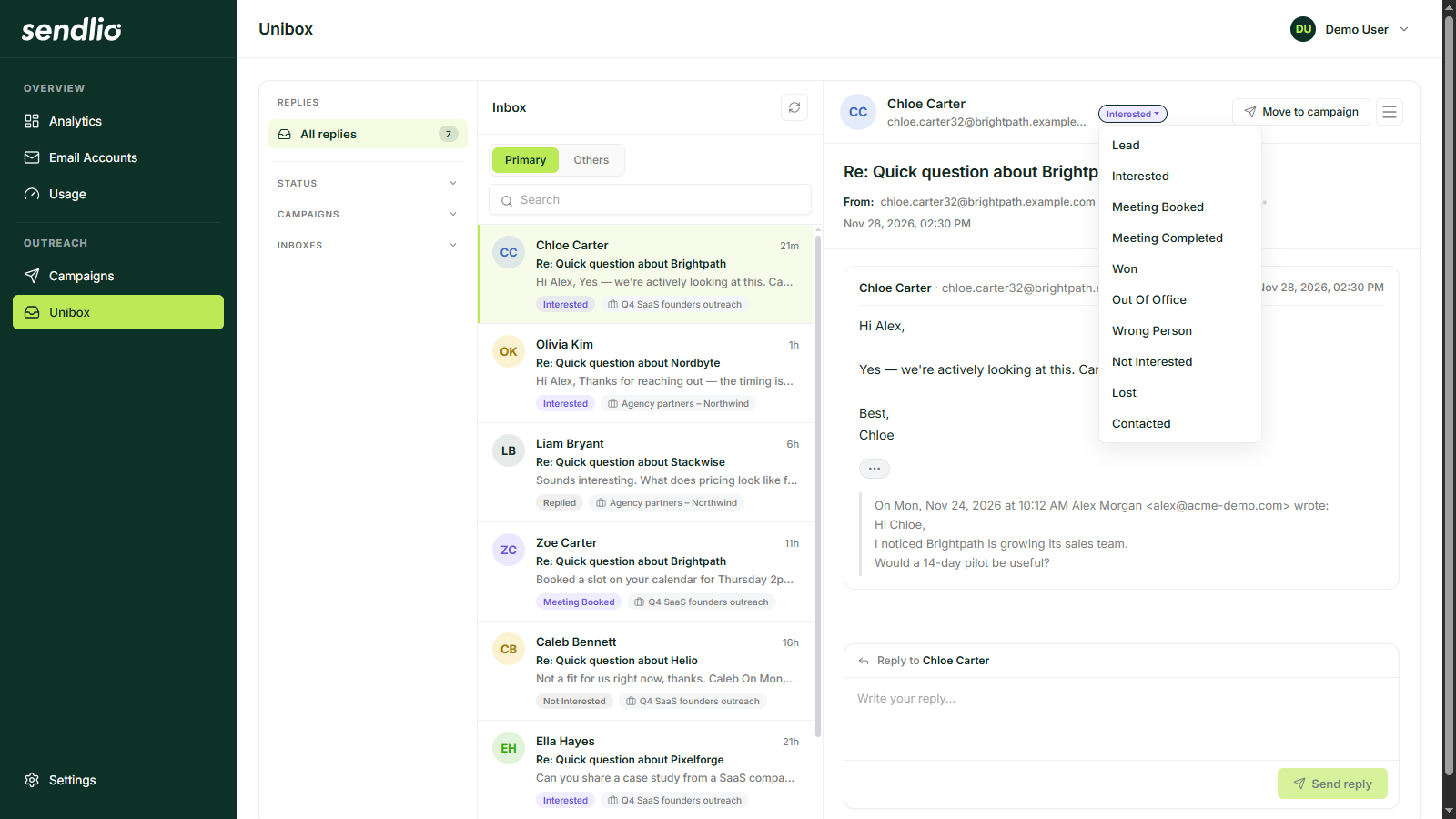
Statuses: Lead, Interested, Meeting Booked, Meeting Completed, Won, Out of Office, Wrong Person, Not Interested, Lost and Contacted. Filter by them in the left panel under Status. Replies you haven’t tagged show Contacted.
Note
A Unibox status helps you organise replies. It’s saved on that one reply and doesn’t change the lead’s status inside the campaign. To change that, open the campaign’s Leads tab.
Tip
A simple routine: tag every new reply right away. Then the Interested filter is your to-do list.