
Check your email usage and plan limit
See how many emails you’ve sent this billing cycle, and where they went.
Open Usage in the left menu.
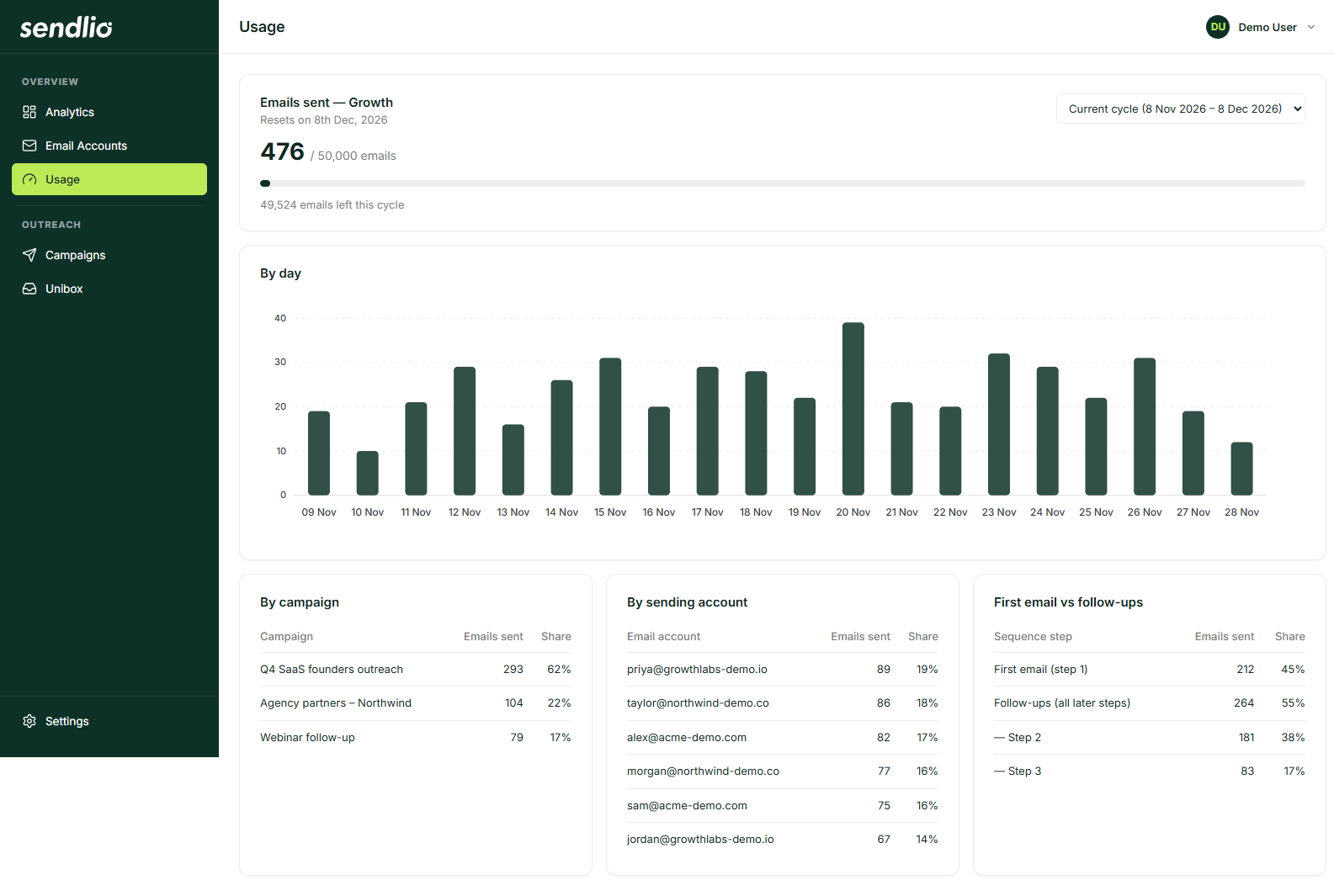
| Section | Shows |
|---|---|
| Emails sent — {your plan} | Used / limit for this cycle, the reset date, and how many emails are left. |
| Cycle menu | Switch to a past billing cycle. |
| By day | Emails sent per day. |
| By campaign | Which campaigns used your emails. Deleted campaigns still count. |
| By sending account | Which inboxes sent them. |
| First email vs follow-ups | How many were first emails and how many follow-ups, step by step. |
Note
A billing cycle is 30 days, counted from your plan’s start date. Every campaign email sent counts, including follow-ups.
When you reach the limit
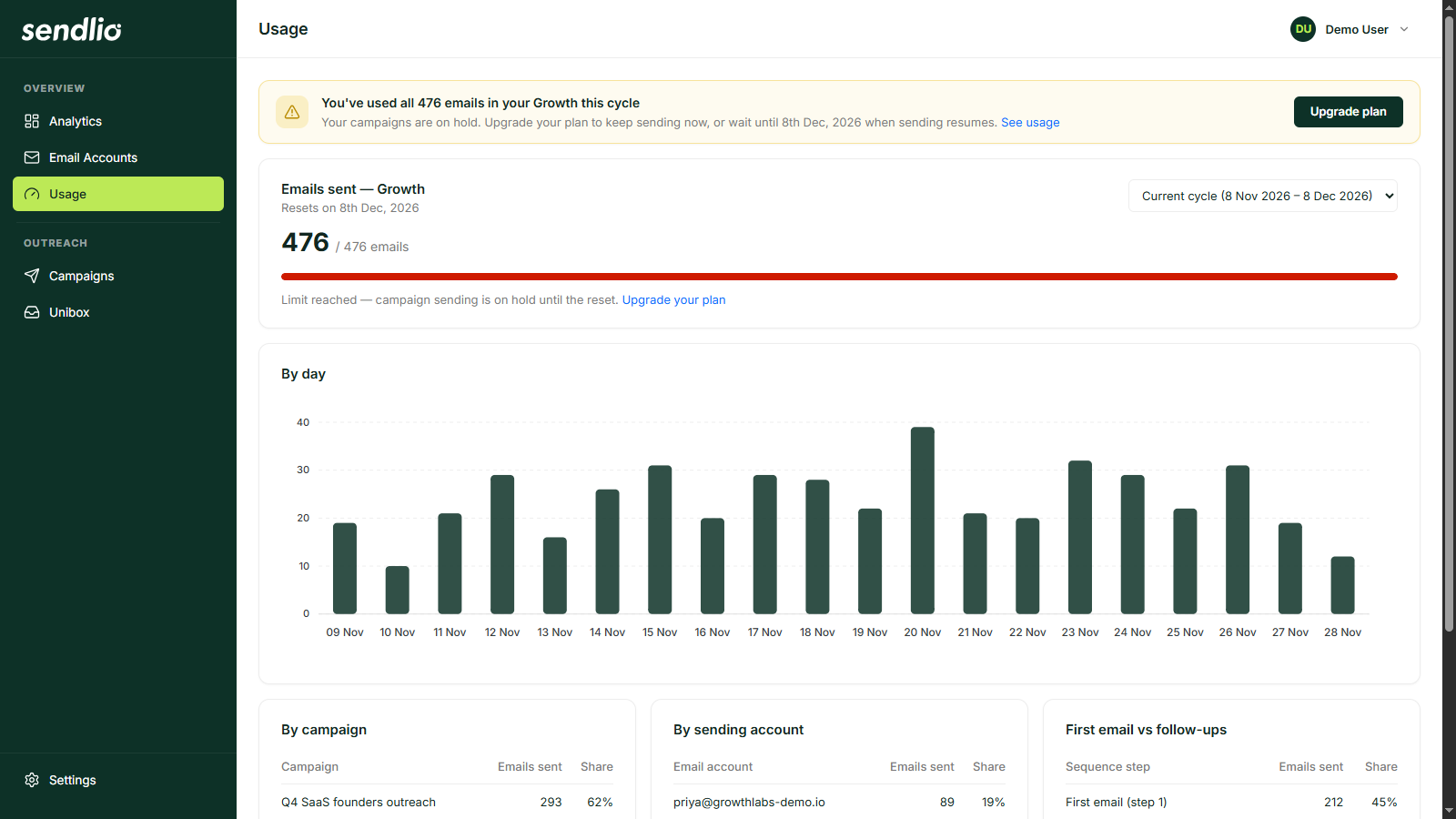
The meter shows “Limit reached — campaign sending is on hold until the reset”, and a banner appears on every page. Nothing is lost: campaigns continue automatically on the reset date, or right away if you Upgrade plan.
See Sending limits for all the limits that apply.
Frequently asked questions
Do warmup emails count?
No. Only campaign emails count towards your plan’s email limit.